Integration with Storybook
This is your go‑to page for integrating Eyes with Storybook. It covers common usage first, then best practices, and finally advanced/less‑common options. (See Advanced Usage for edge cases.)
Usage options (from most common to specialized)
A) Let Eyes start Storybook (default)
npx eyes-storybook
- Eyes finds your
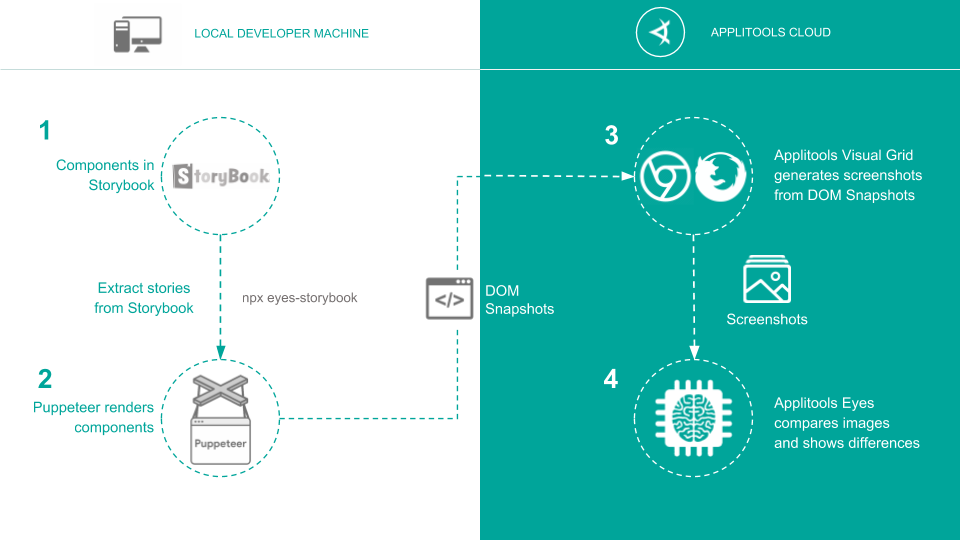
.storybookconfig, starts Storybook on an open port, crawls stories, takes snapshots, and sends them to the Ultrafast Grid.
B) Point to an existing Storybook URL
npx eyes-storybook -u http://localhost:6006
npx eyes-storybook -u https://storybook.yourcompany.com
Use this when Storybook is already running locally or remotely.
C) Static build
Serve your built Storybook and pass the URL:
# for example
npx http-server storybook-static -p 6006
npx eyes-storybook -u http://localhost:6006
Project configuration
Create or adjust applitools.config.js:
// applitools.config.js
/**
 * @type {import('@applitools/eyes-storybook').ApplitoolsConfig}
 **/
module.exports = {
  apiKey: process.env.APPLITOOLS_API_KEY,
  serverUrl: 'https://eyes.applitools.com',
  appName: 'My Storybook App',
  batchName: 'My Storybook',
  showLogs: false,
};
NOTE: applitools.config.js should be located in the root directory of the project by default.
Otherwise, use --conf CLI flag to point the CLI to the right place. Read more here.
Learn more about the different settings here.
Common CLI flags
-u, --storybook-url <url>— Reuse an existing Storybook server.-p, --storybook-port <n> / -h, --storybook-host <host>— Target dev server.-c, --storybook-config-dir <path>— Non‑standard config location.-s, --storybook-static-dir <path[,path]>— Extra static dirs.--include <title|/regex/>— Only visually check matching stories.--navigation-wait-until <event>— See navigationWaitUntil above.--read-stories-timeout <ms>— Fail if stories take too long to load (default: 60,000ms).-e, --exitcode— Exit non‑zero on diffs/failures (default: true).
Read more here
Best practices
-
Name stories clearly (be descriptive & stable) so
testNameis meaningful in results.Why: Story titles become Eyes test names → better search & triage.
Do
// Button.stories.tsx
export default { title: 'Forms/Button' };
export const Primary = { args: { variant: 'primary', label: 'Save' } };
export const PrimaryDisabled = {
  args: { variant: 'primary', disabled: true },
};
Resulting test names
Forms/Button: PrimaryForms/Button: PrimaryDisabled
Tips
- Encode the state in the story name (e.g.,
WithError,Loading,RTL). - Avoid generic
Defaultin large libraries—preferDefault (Light)if you must keep it.
-
Use
parameters.eyessparingly (override only what you must).Why: Keep global policy in applitools.config.js. Override per story only when required.
Global policy (config)
// applitools.config.js
module.exports = {
  matchLevel: 'Strict',
  browser: [
    { name: 'chrome', width: 1440, height: 900 },
    { name: 'firefox', width: 1024, height: 768 },
  ],
  ignoreCaret: true,
};
Per-story override (only where needed)
// Card.stories.tsx
export const WithToast = {
  args: { variant: 'info' },
  parameters: {
    eyes: {
      // override ONLY what differs for this story
      floatingRegions: [
        {
          selector: '.toast',
          maxUpOffset: 10,
          maxDownOffset: 10,
          maxLeftOffset: 30,
          maxRightOffset: 30,
        },
      ],
    },
  },
};
Don’t copy the entire browser matrix into every story. Do let the global matrix apply unless a story truly needs a different target.
-
Freeze dynamic data when possible (see Deterministic data below).
Why: Randomness creates noisy diffs. Make stories deterministic under Eyes.
Switch on the Eyes query flag
// In story code (runs in the iframe)
const qp = new URL(location.href).searchParams;
const isEyes = qp.has('eyes-storybook');
if (isEyes) {
  // freeze time & randomness
  // @ts-ignore
  Date.now = () => new Date('2025-01-01T00:00:00Z').getTime();
  Math.random = () => 0.42;
}
Disable animations just before capture
// applitools.config.js
module.exports = {
  scriptHooks: {
    beforeCaptureScreenshot:
      "document.documentElement.style.setProperty('animation','none','important');" +
      "document.documentElement.style.setProperty('transition','none','important');",
  },
};
Mock network (example with MSW)
// in story setup
import { http, HttpResponse } from 'msw';
export const parameters = {
  msw: {
    handlers: [
      http.get('/api/price', () => HttpResponse.json({ price: 9.99 })),
    ],
  },
}; -
Group runs by batch (e.g., by PR or sprint) for easier review.
Why: Batches organize review by PR/branch/sprint and keep history meaningful.
Set batch name with PR number
// applitools.config.js
module.exports = {
  batch: {
    name: process.env.CI ? `PR #${process.env.PR_NUMBER} — UI` : 'Local run',
  },
  properties: [{ name: 'team', value: 'design-systems' }],
};
Monorepo tip: set a unique
appNameper package so baselines don’t collide.module.exports = { appName: '@org/ui-kit' };
Per‑story configuration (CSF recommended)
// Button.stories.tsx
import type { Meta, StoryObj } from '@storybook/react';

const meta: Meta = {
  title: 'Components/Button',
  component: Button,
  parameters: {
    eyes: {
      waitBeforeCapture: '#ready',
      ignoreRegions: [{ selector: '.anim' }],
      layoutBreakpoints: [480, 1200],
    },
  },
};
export default meta;

export const Primary: StoryObj = {
  args: { label: 'Buy' },
  parameters: {
    eyes: {
      browser: [
        { name: 'chrome', width: 1280, height: 800 },
        { name: 'firefox', width: 1280, height: 800 },
      ],
    },
  },
};
Supported story parameters (parameters.eyes)
include: boolean— Skip when false.waitBeforeCapture: number | string— Milliseconds or CSS selector.properties: Array<{name,value}>— Custom metadata (shows in Dashboard).browser— Override Ultrafast Grid targets per story.ignoreRegions: Array<CSSSelector | {left,top,width,height}>floatingRegions: Array<{left,top,width,height,maxUp,maxDown,maxLeft,maxRight}>layoutBreakpoints: true | number[]— Auto or explicit responsive points.
Classic stories API
storiesOf('Components/Button', module).add(
  'Primary',
  () => <Button label="Buy" />,
  { eyes: { waitBeforeCapture: 250 } }
);
Browsers & devices (Ultrafast Grid)
Define browser in applitools.config.js.
module.exports = {
  browser: [
    { name: 'chrome', width: 1024, height: 768 },
    { name: 'firefox', width: 800, height: 600 },
    { name: 'edgechromium-one-version-back', width: 1200, height: 800 },
  ],
};
Chrome device emulation
module.exports = {
  browser: {
    name: 'chrome',
    deviceName: 'Galaxy Note 8',
    screenOrientation: 'portrait',
  },
};
You can find the list of all supported emulated devices here.
iOS devices (real‑device rendering on UFG)
module.exports = {
  browser: {
    iosDeviceInfo: {
      deviceName: 'iPhone XR',
      screenOrientation: 'portrait',
      iosVersion: 'latest', //the latest iOS version that's supported by the UFG. Use latest-1 for one version prior to the latest.
    },
  },
};
You can find the list of all supported iOS devices here.
Filtering which stories to check
- CLI:
--include "Button: with text"or--include /Button:.*/ - Config: supply an
includefunction (see above).
Deterministic data in stories
Eyes appends ?eyes-storybook=true to the story iframe URL. Use it to switch mocks/fixtures:
const isEyes = new URL(window.location).searchParams.get('eyes-storybook');
const FIXED = 1_600_000_000_000;
const date = new Date(isEyes ? FIXED : undefined);
Making stories deterministic keeps snapshots stable and reproducible across local and CI runs. It prevents “false diffs” caused only by time/random seeds, so reviewers focus on meaningful UI changes instead of noise.
Compared to masking areas with ignoreRegions, stabilizing the data preserves full visual coverage of the component.
Regions silence noise by hiding parts of the UI and can accidentally mask real regressions inside those areas.
The trade-off is a tiny amount of story/setup code (or telling your mock layer to honor ?eyes-storybook=true).
Rule of thumb: prefer deterministic data by default; use regions for truly irrelevant or inherently moving UI (ads, live tickers, transient toasts).
Baseline identity (how snapshots are keyed)
- appName (defaults to
package.json#name, override via config) - testName (derived from story path/title)
- browser/viewport/OS (Ultrafast Grid target)
- branchName (you can optionally influence lookup/compare with
baselineBranchName/parentBranchName)
Running the example project
-
Clone or download one of the repository examples below and navigate to that folder
- React example
git clone https://github.com/applitools/tutorial-storybook-react.git
cd tutorial-storybook-react - Angular example
git clone https://github.com/applitools/tutorial-storybook-angular.git
cd tutorial-storybook-angular - Vue example
git clone https://github.com/applitools/tutorial-storybook-vue.git
cd tutorial-storybook-vue
- React example
-
Install the dependencies
npm install -
Set your API key (explained here)
-
Run the example tests with the command below. The will create a test baseline of every story in the Storybook.
npx eyes-storybook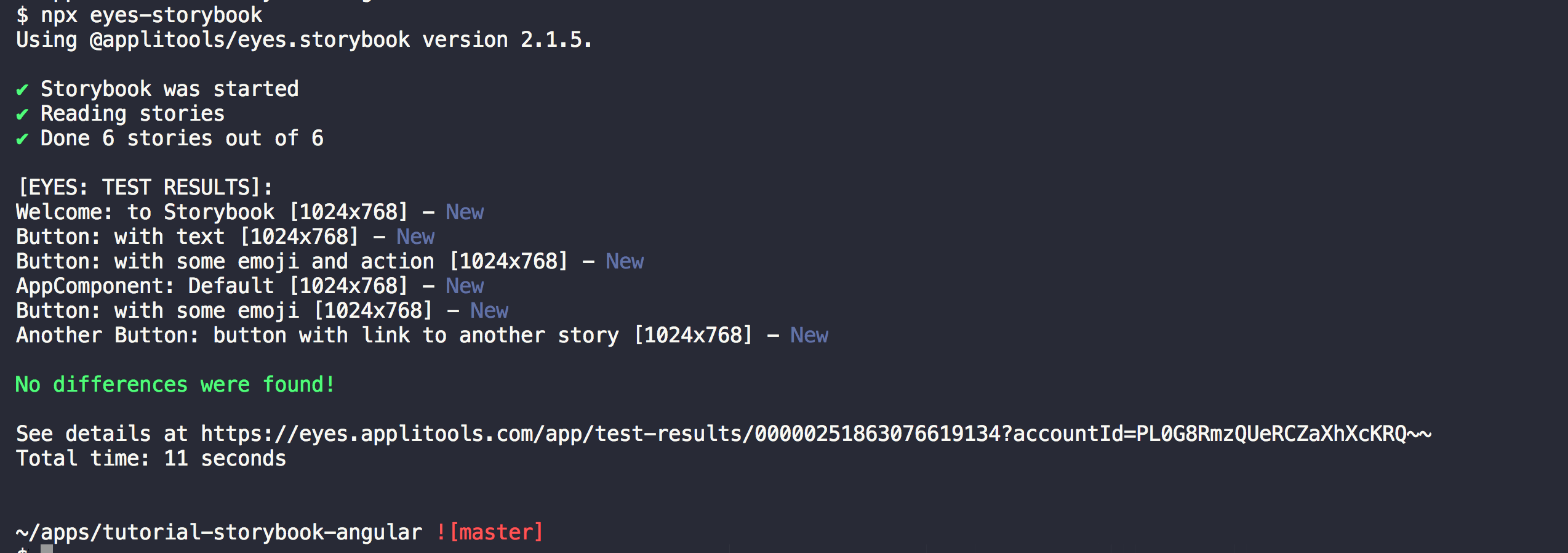
-
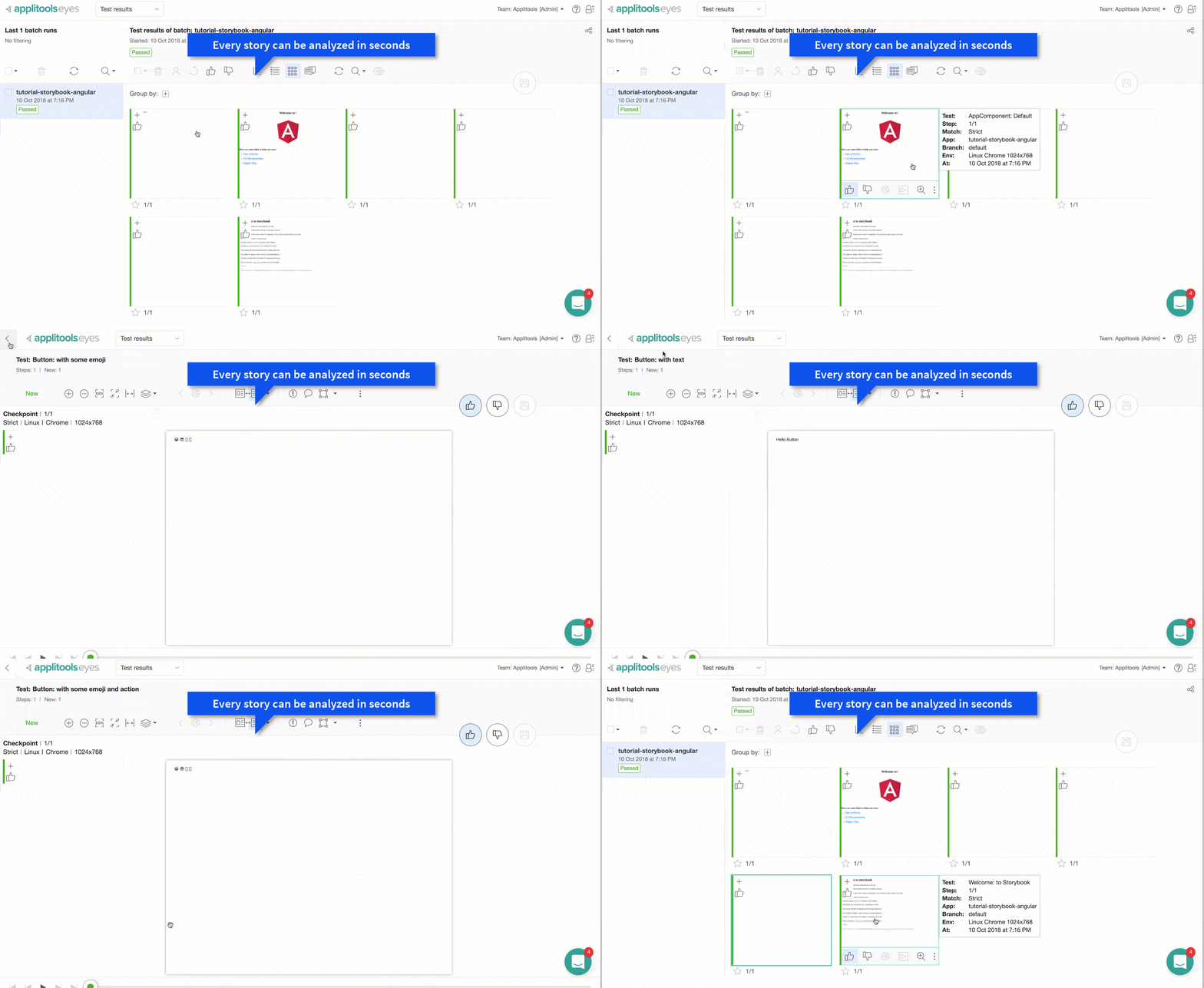
After the example tests complete. Visit your Applitools Eyes dashboard to view the results.